What Is Textora? A Look Inside the AI Writing & Transcription Tool
One tool for writing, editing and transcription here’s what Textora actually does.
What Is Textora? A Look Inside the AI Writing & Transcription Tool
Creators lose close to 40% of their week formatting and transcribing notes enough that teams keep looking for better tools instead of simply working longer hours. This Textora overview looks at how our AI writing platform tackles that by bringing writing, editing, and transcription into one place.
What Textora Actually Does?
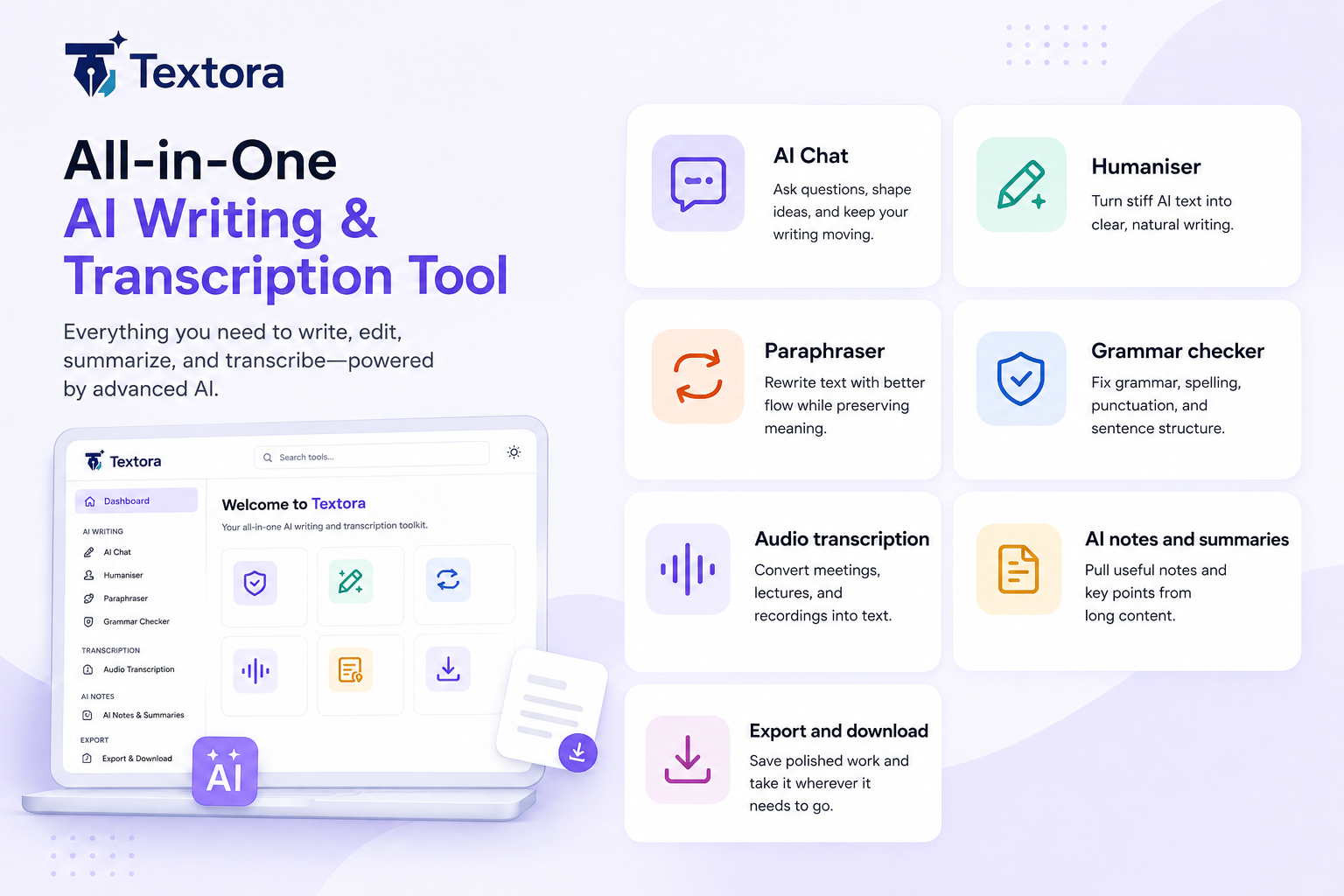
If you've had five tabs open just to write and transcribe one article you'll understand why Textora exists. A lot of people ask what is Textora. The short version is that it's a single hub for writing and transcription instead of two separate tools.
One Workspace Instead of Five Tabs
The all in one tool cuts out the back and forth between sites and the Textora AI tool is built to be usable without a technical background. Look into how Textora works and the pattern is speed over piling on features one subscription doing the job of three or four.
| Feature | Traditional Workflow | Textora Workflow |
|---|---|---|
| Tool Switching | High (Multiple Tabs) | None |
| Data Syncing | Manual Copy Paste | Automatic |
| Learning Curve | Steep | Minimal |
| Efficiency | Low | High |
Writing and Transcription in the Same Place
Most writers who also transcribe end up using two unrelated tools one for drafting and one for audio. Textora puts both in the same app, cutting down time and copy paste errors for journalists, students and anyone turning spoken words into a finished document with this all in one AI tool.
Core Features and Capabilities
| Feature | What It Does |
|---|---|
| Writing & Paraphrasing | Reworks awkward sentences and tightens up phrasing that's hard to follow |
| Grammar Correction & AI Humanization | Catches what spell-check misses and smooths out AI text so it doesn't sound robotic |
| Transcription | Turns audio from a lecture, interview, or meeting into text you can actually read |
| AI Notes & Summaries | Pulls the main points out of long content so you're not digging for them |
| Export & Download | Saves your work in a format that's ready to use right away |
| AI Chat | Pulls answers straight from your content instead of you scrolling to find them |
Grammar Correction and AI Humanization
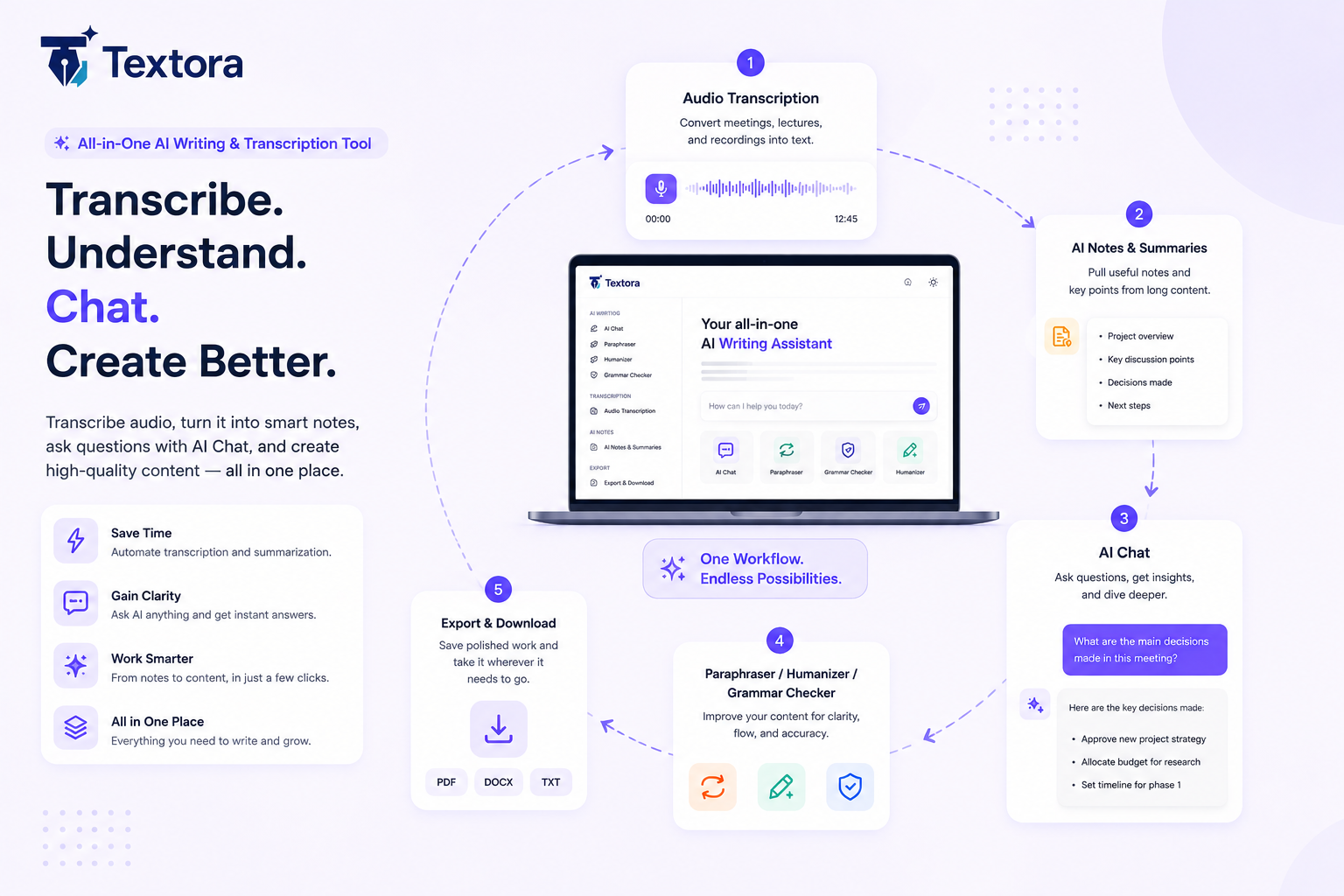
Sounding like an actual person matters for AI content creation. Grammar correction picks up the smaller errors spell check usually misses while the AI Humanization feature smooths out AI written text so it doesn't come across as stiff or robotic.
Turning Audio Into Usable Text
The built in Textora transcription tool handles audio files directly. This transcription software turns spoken words into text in seconds rather than hours. Once it's transcribed the summarization feature pulls out the main points so you don't have to re-listen to the entire recording just to find them.
AI Notes & Summaries
Going back through a full lecture, research paper or long article takes time most people don't have to spare. Textora's AI turns that content into clear, organized notes pulling out the main points and key arguments so you can review the material quickly without losing what actually matters.
AI Chat
Writing rarely goes in a straight line. There are always moments when you're unsure how to phrase something or want to explore a different angle. That's where Textora's AI Chat helps. You can ask questions, brainstorm ideas or get answers directly from your content without breaking your workflow.
Export & Download
Once your work is finalized, Textora lets you export it in a ready to use format. Whether you're submitting an assignment, sharing a report or archiving research for future reference your files are ready when you need them.
Paraphraser
Textora's paraphraser rewrites your text so it flows better without changing the original meaning. It's useful for improving awkward sentences, reducing repetition or adjusting the tone before publishing or sharing your work.
How Textora's AI Notes, AI Chat, and Transcription Work Together
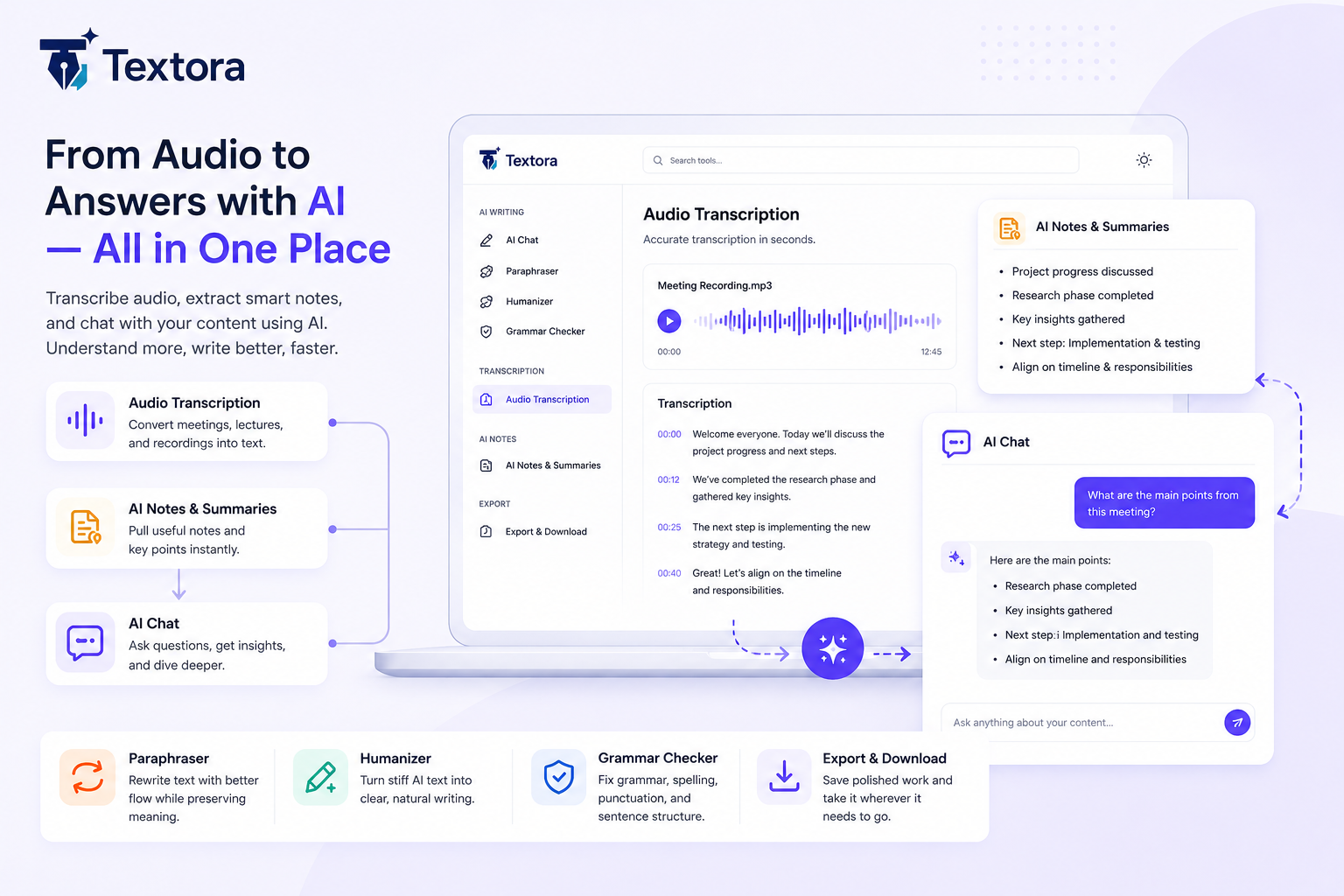
What makes Textora stand out is how transcription, AI Notes and AI Chat connect into a single workflow.
- Transcription converts lectures, interviews or meetings into searchable text.
- AI Notes extracts the key ideas and summarizes the important information.
- AI Chat lets you ask questions about that content and instantly find answers without scrolling through pages of text.
How This Plays Out in Practice
Imagine a student records a two hour economics lecture. First Textora transcribes the recording into searchable text. Next AI Notes creates a concise summary covering the most important concepts. A few days later while preparing for an exam the student asks AI Chat, "What did the lecture say about inflation?" Instead of replaying the recording or searching through pages of notes Textora provides the answer in seconds.
That's the advantage of combining transcription, summarization and AI powered chat into one workflow.
"The best writing tools don't try to write for you. They just get the friction out of the way."